
Arborist prescription software
Write the prescription from the diagnosis. The client says yes from a link.
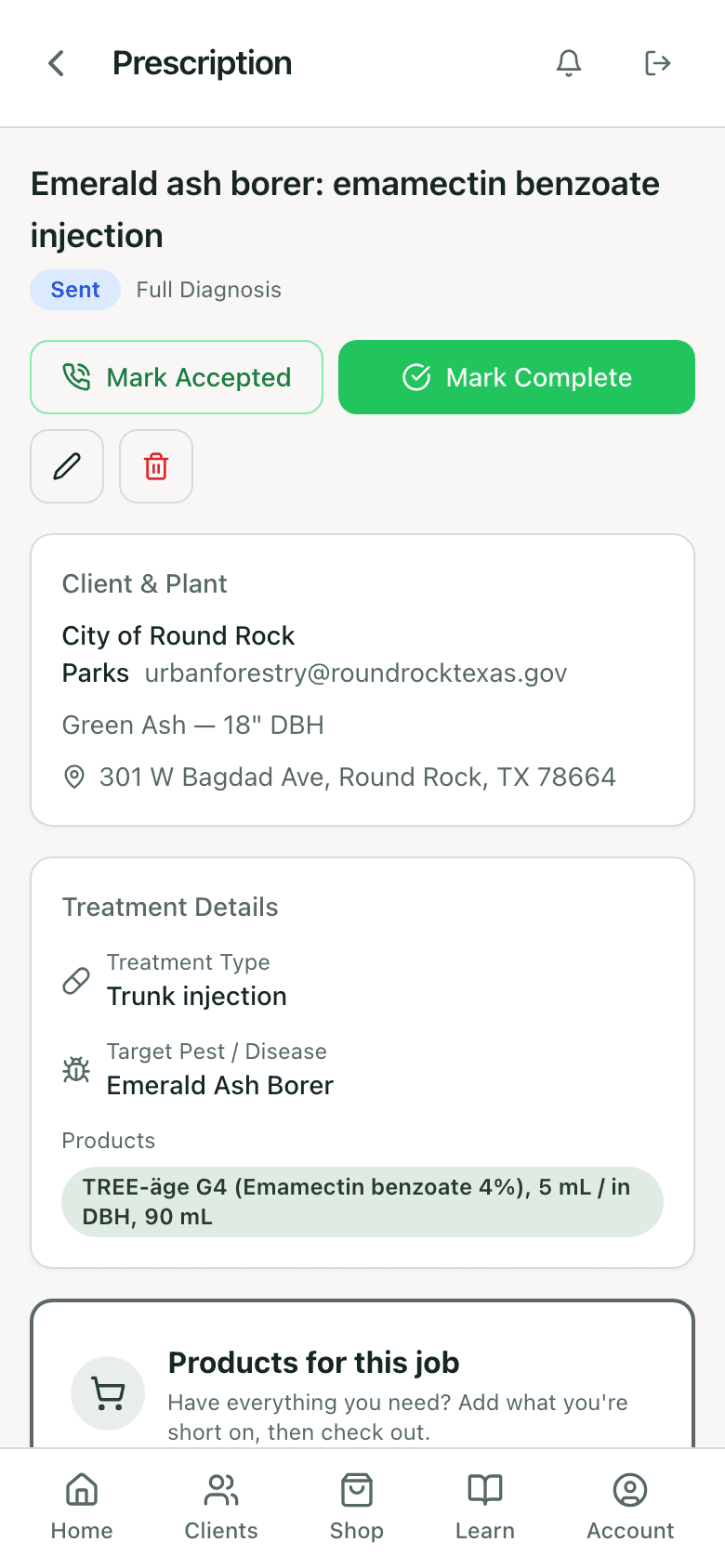
A prescription in PHC Rx is the treatment plan for one tree: the target, the product and rate per inch, the delivery method, the date, the price. It goes to the client as a link. They accept or decline on their phone. Accepted work lands on the calendar and gets a record when it is done.
5
states: draft, sent, accepted or declined, scheduled, completed
0
accounts the client needs to accept
1
tap to put an accepted treatment on the calendar
2
directions the Jobber sync runs: quotes out, jobs back
The gap
The estimate is not the treatment
Most tree care software writes an estimate: a line item, a price, a signature. A PHC job needs more than that on paper before anyone mixes anything: which pest, which product, what rate for this trunk, which month, what the label allows. When that lives in a text box on a quote, it does not survive to the day of the job, and it does not survive to the record afterward.
The dose gets rewritten three times
Once on the quote, once in the tech's notes, once on the spray log. They do not match, and the one that matters legally is the last one.
Approval happens by phone
The client says yes on a call. Nobody wrote down which version they said yes to, and the scheduled date lives in someone's head.
The decline reason is lost
A no with a reason is a lead for next season. A no on a voicemail is nothing.
Write
From the diagnosis, or from scratch.
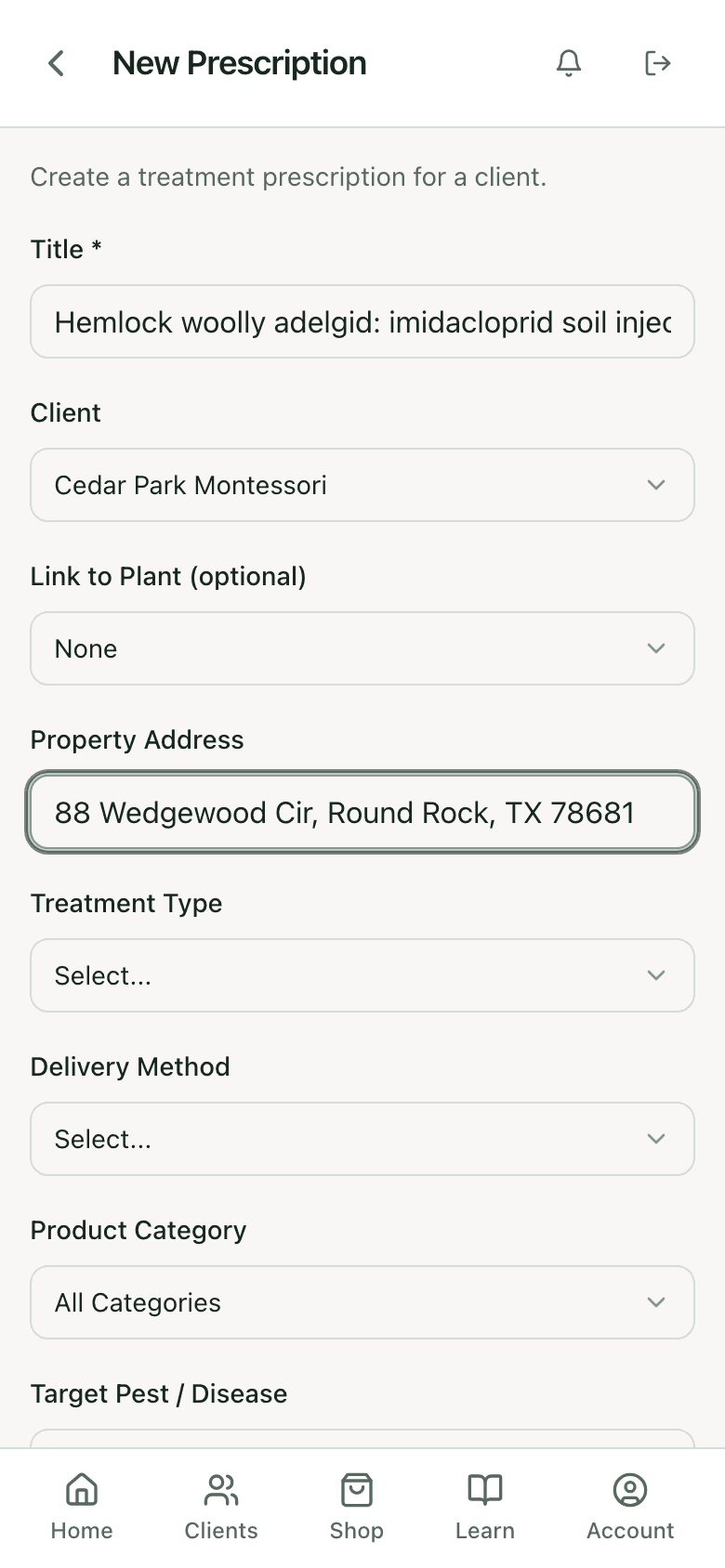
A prescription created from a diagnosis result comes in with the species, DBH, target, and the species-matched treatment already filled. Started fresh, it takes a title, client, optional tree, address, treatment type, delivery method, product category, and target pest. Products come from the label library, with the calculator dose on the line.
Price and schedule
Date, cost, description, and notes the client never sees.
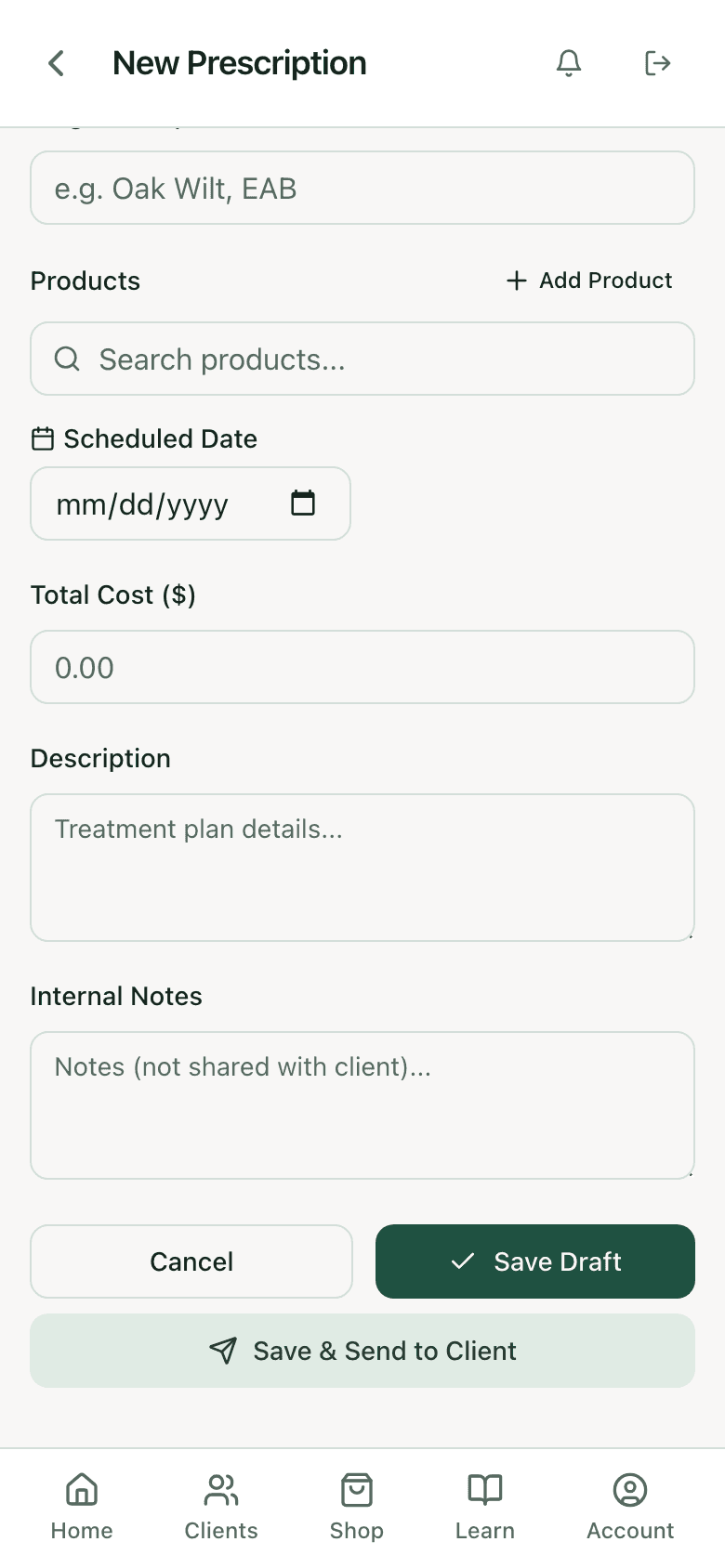
A scheduled date and time, a total cost from your service pricing, a description the client reads, and internal notes that stay internal. Save as a draft to finish later, or save and send. Every send is logged with the address and time.
- Total cost pulled from per-inch service pricing or entered by hand
- Internal notes marked as not shared with the client
- Draft, then send when the schedule is confirmed
Send
It arrives as a link.
The client gets an email with your default message and a link. The page shows the tree, the treatment, the product and rate, the date, and the price, under your company branding. No login. If they forward it to a spouse or a board member, that person can read it too.
How the report side is branded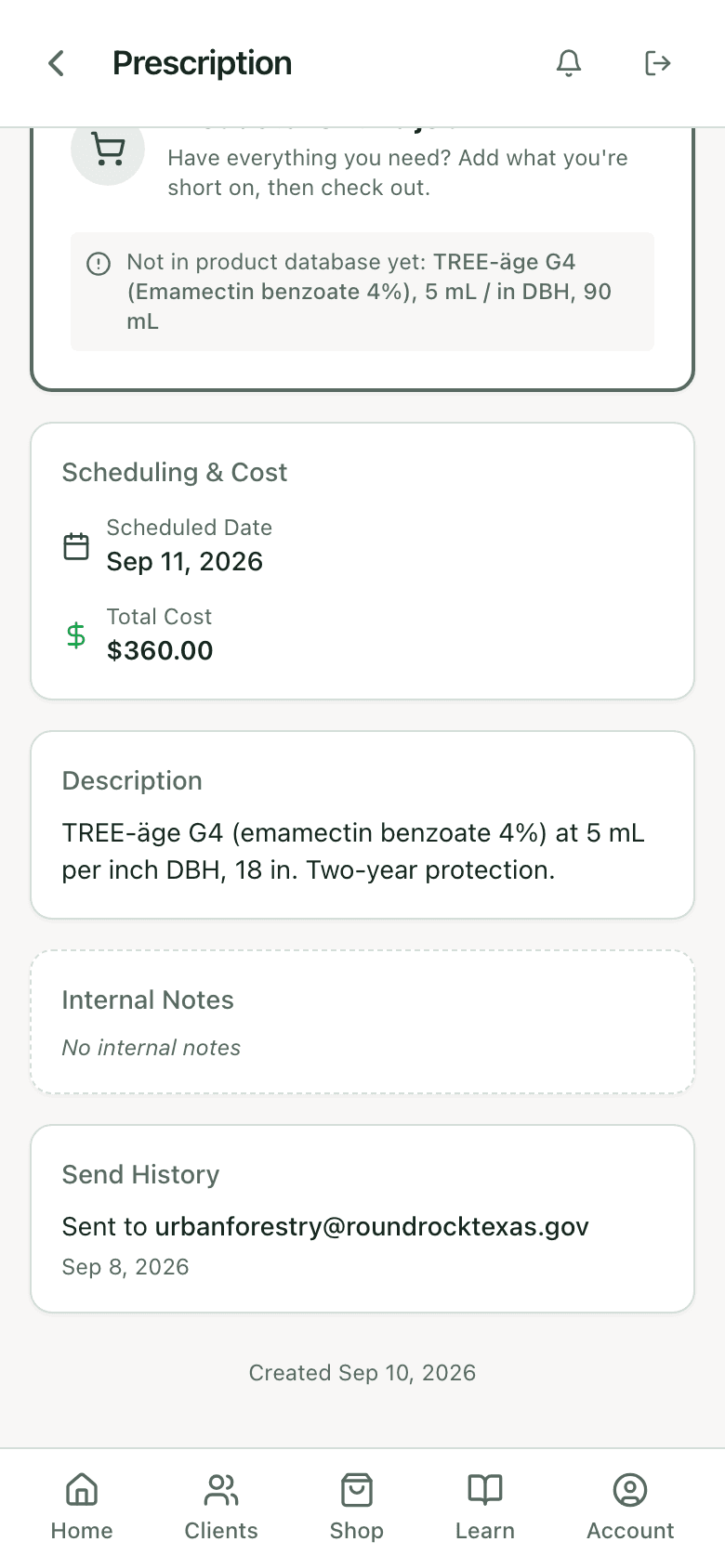
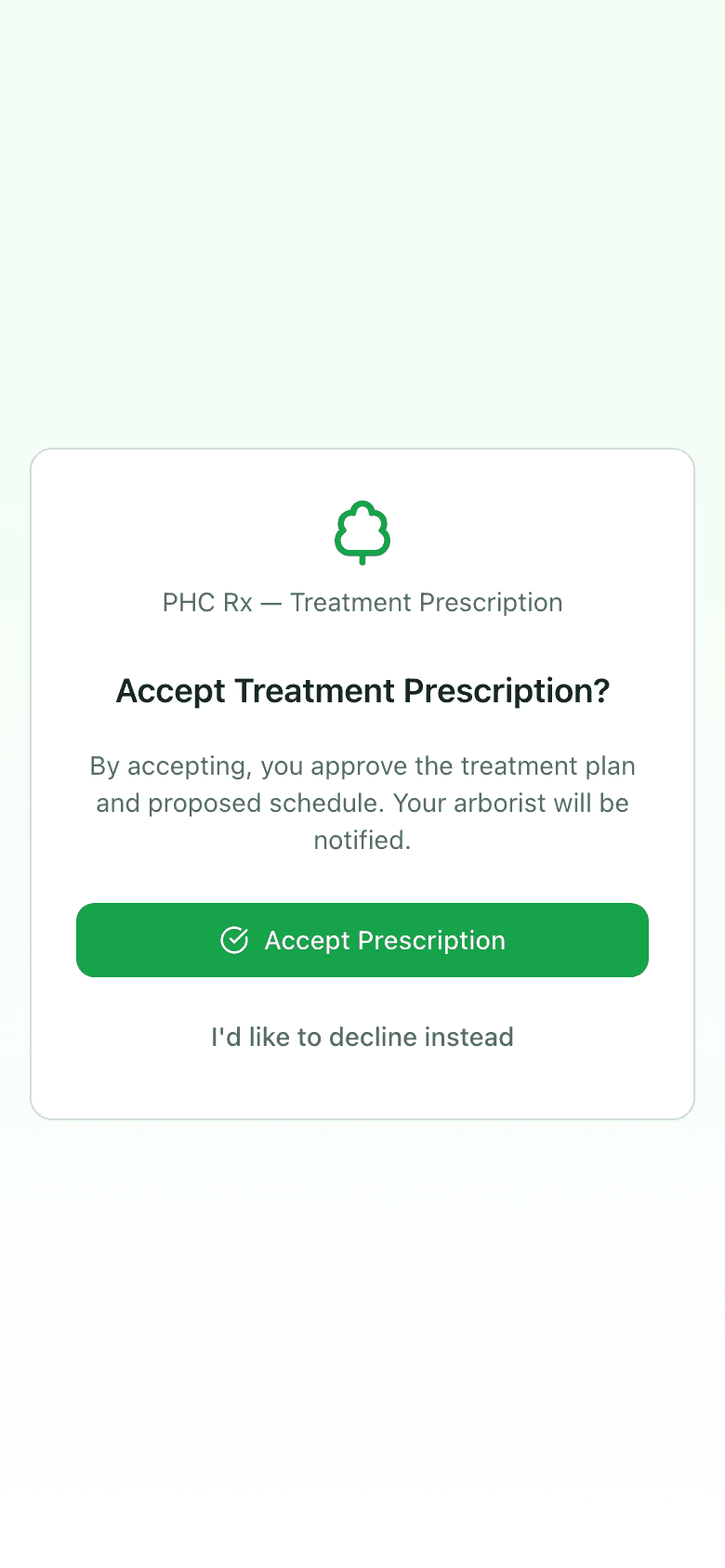
Accept or decline
Two buttons on their phone.
Accept approves the plan and the proposed date and notifies you; the status flips to accepted on your side the moment they tap. Decline asks for an optional note and notifies you with it. A declined prescription keeps its reason on the record, which is where next spring's follow-up call starts. If the client tells you by phone instead, Mark Accepted does the same thing from your side.
Schedule and complete
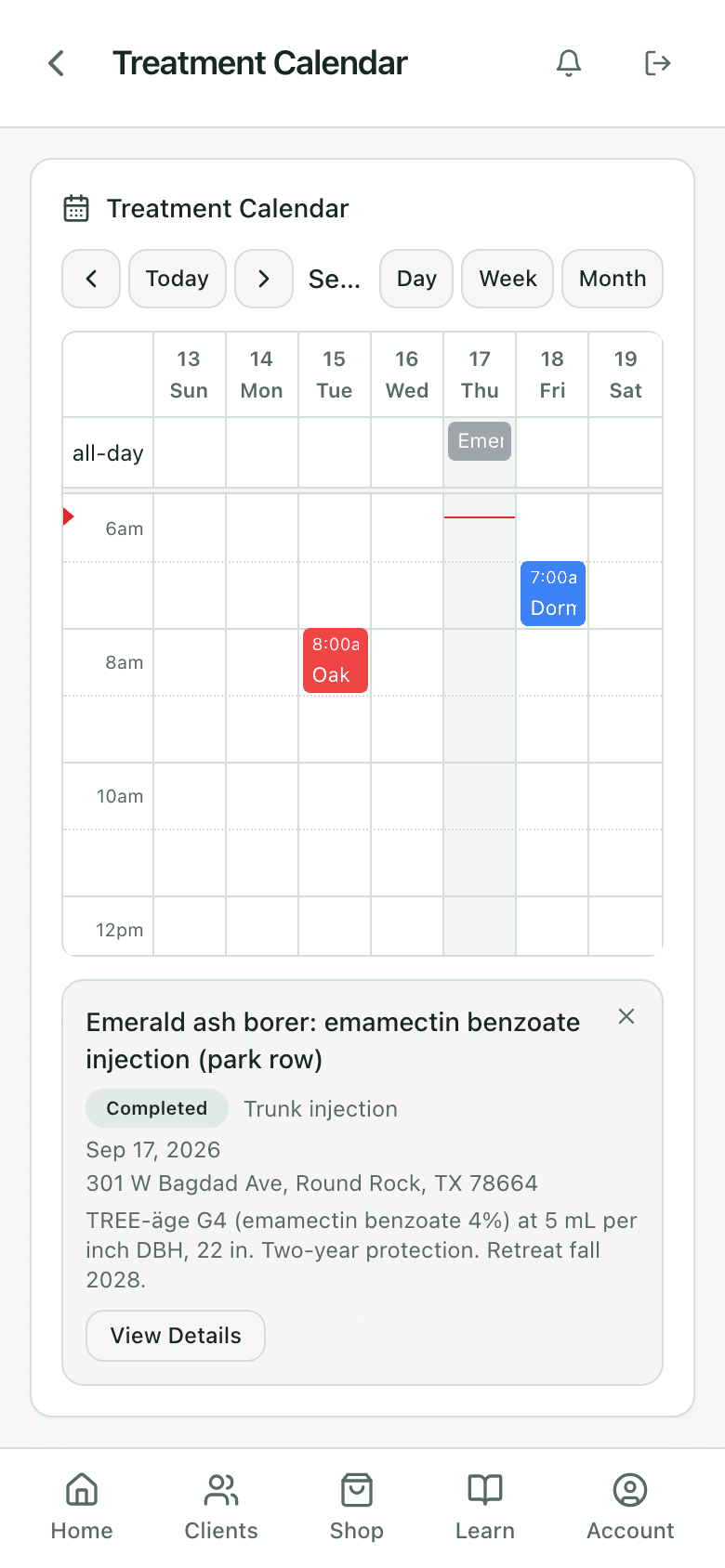
Accepted work goes on the calendar. Completed work gets a record.
An accepted prescription with a date becomes a calendar event with the client, address, and product on it. Follow-up visits for monitoring and retreatment can be generated from the treatment date. Mark Complete records the product actually used, the rate, the volume, and the conditions, and the tree is marked treated. The tracking side reads that record.
Jobber
Quotes out, jobs back, visits kept in sync.
On the Jobber integration, a prescription can create the Jobber quote and, once accepted, the job and its visits. Rescheduling on either side updates the other. Follow-up visits sync as child visits. The prescription keeps the Jobber quote and job references so the office and the field are looking at the same work. More on the integration.
Jobber sync
ConnectedTwelve Jobber event types are handled, and each one can be forwarded to your own webhook endpoint.
Straight from the app
One prescription, start to finish.
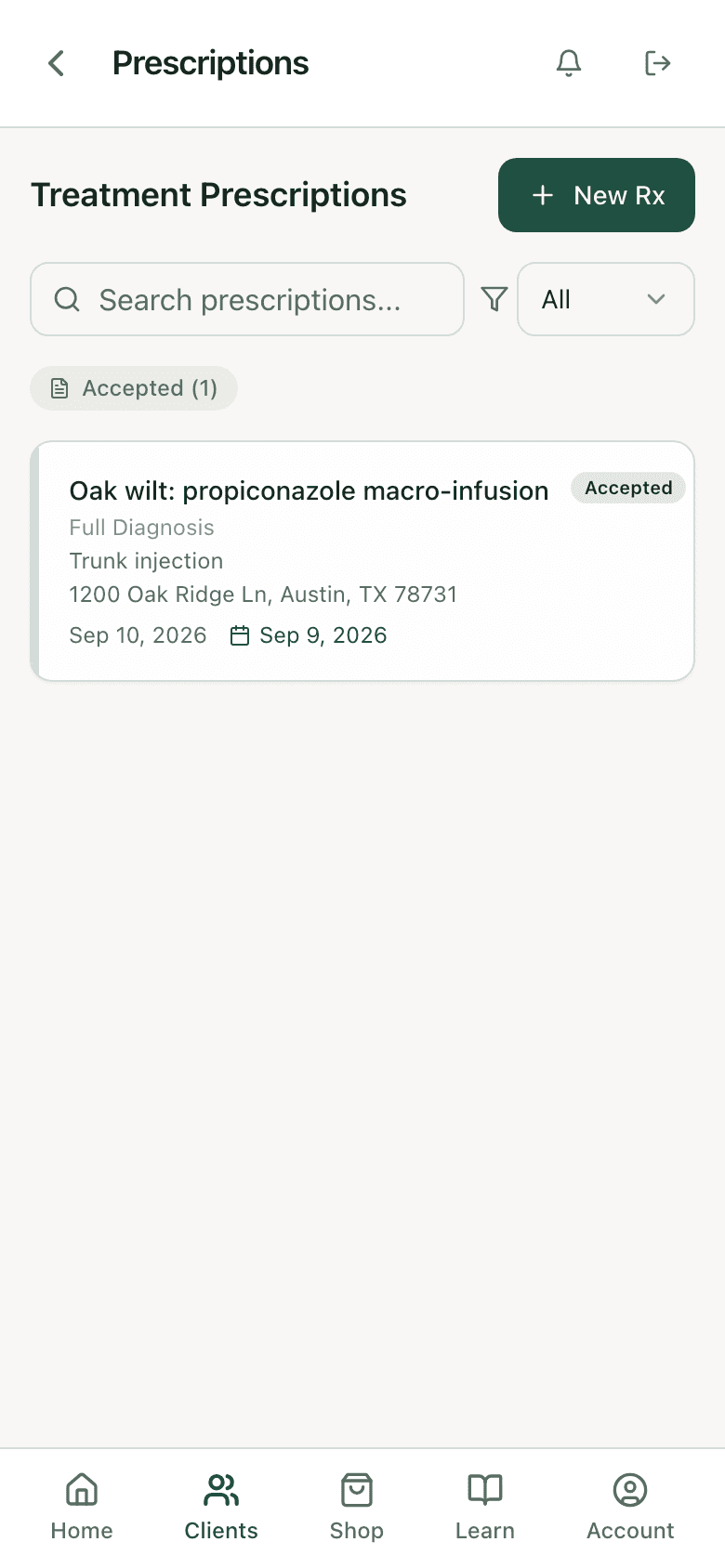
Per tree, per client
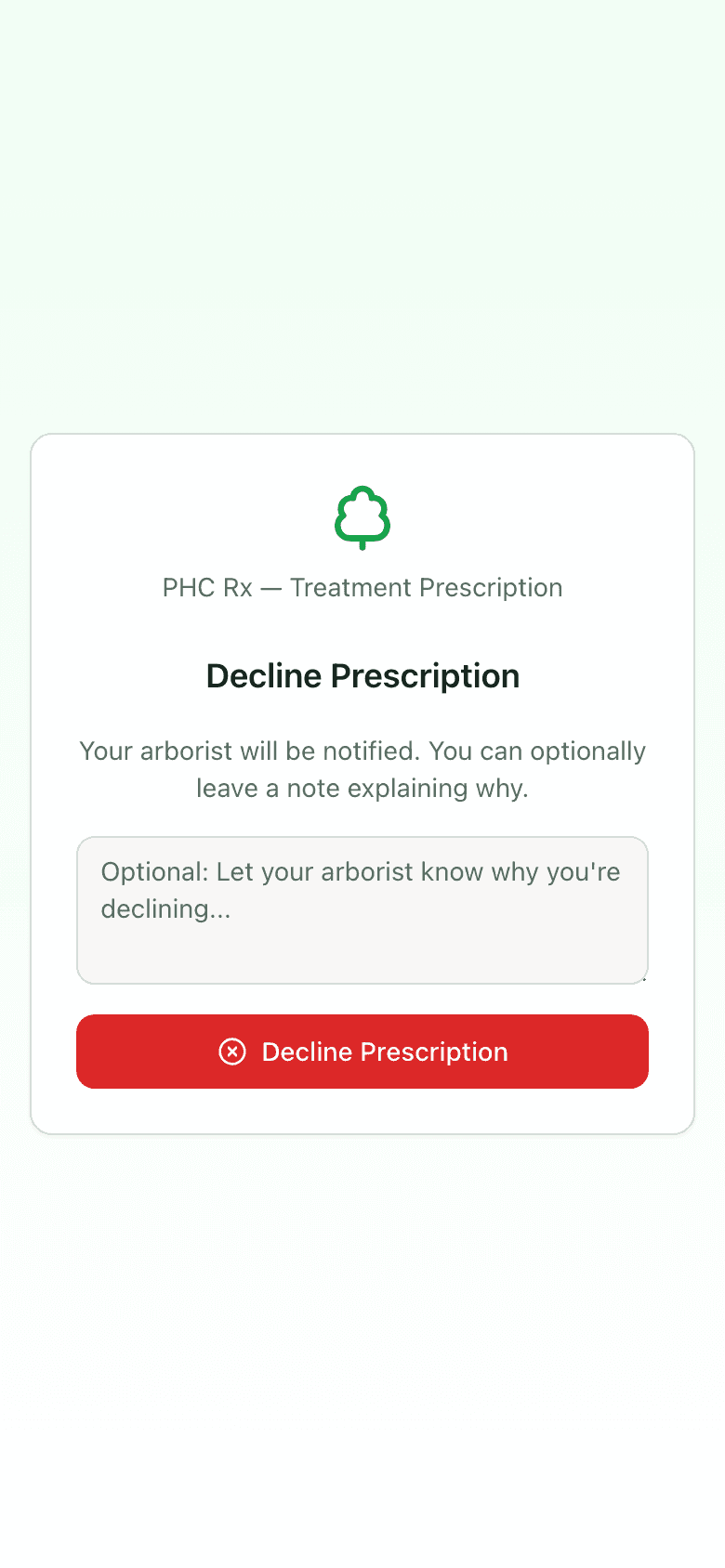
A no with a reason
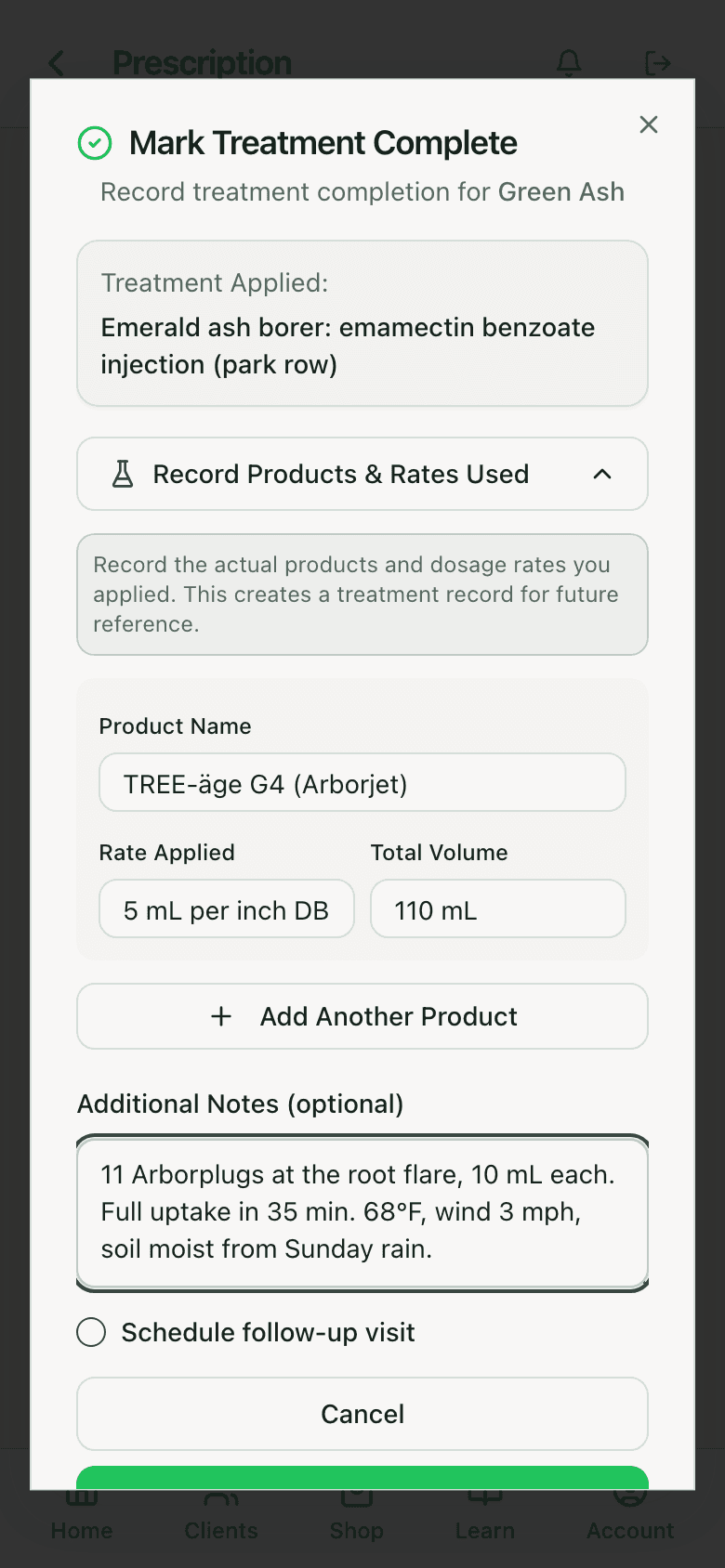
The record at completion
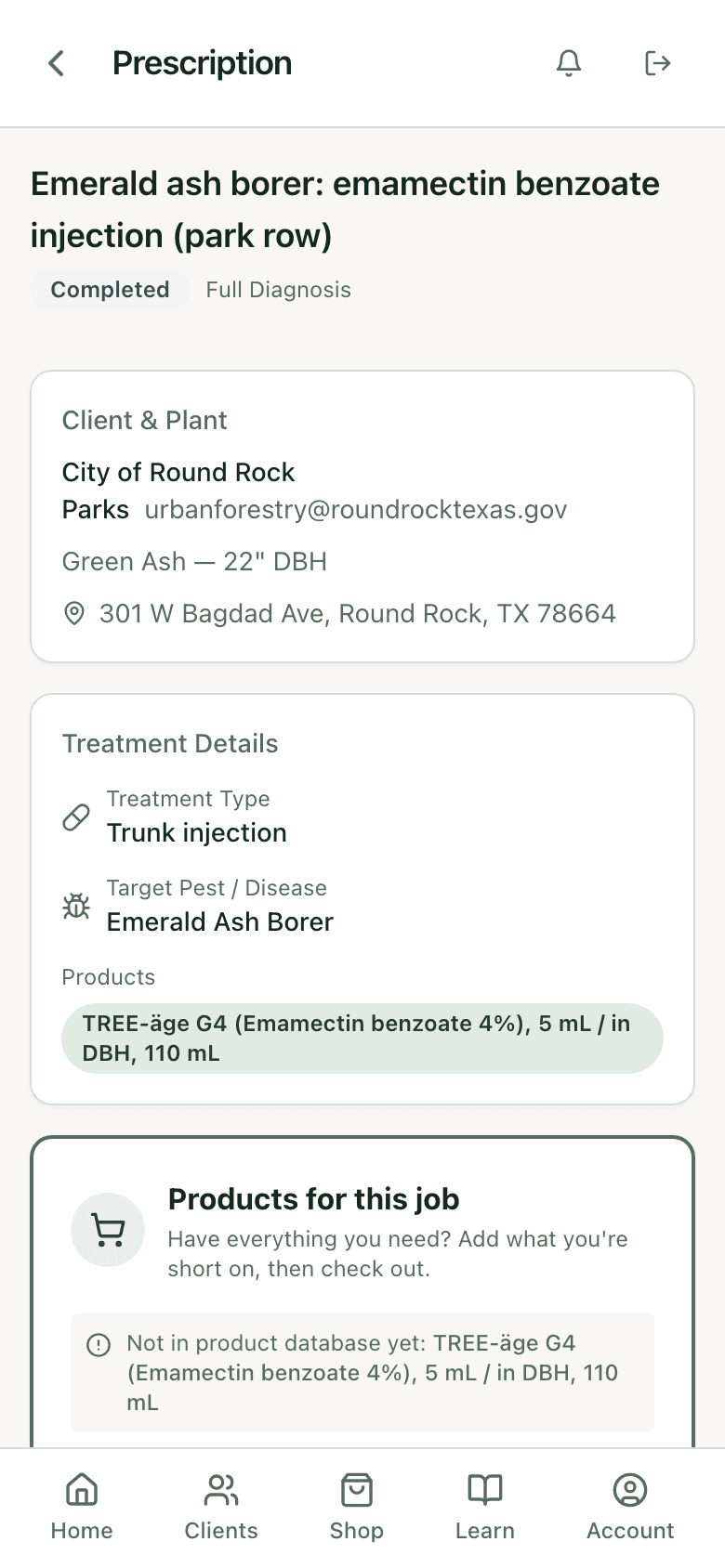
Done, and on the record
What is on a prescription
Fields on every PHC Rx prescription
Client, tree, property address
- Notes
- Tree is optional for a property-level job
Treatment type and delivery method
- Notes
- Trunk injection, soil injection, drench, basal bark, foliar
Target pest or disease and product category
- Notes
- Drives the label check and the rate tier
Products with rate and volume
- Notes
- From the library, dose from the calculator
Scheduled date, time, assigned technician
- Notes
- Becomes the calendar event
Total cost
- Notes
- From service pricing or entered
Description and internal notes
- Notes
- Client sees the description only
Status and history
- Notes
- Sent to, sent at, accepted at, declined at with reason, completed
Prescriptions versus estimates
An estimate is a price for work. A prescription is the work: what is wrong with the tree, what goes into it, how much, when, and why the label allows it. PHC Rx writes the prescription; if you also need invoicing, crew routing, and payroll, Arborgold or Jobber handles that side and the prescription becomes the quote there. Most PHC operations run one of each. What they should not run is a PHC program on estimates alone, because the estimate has no record of the dose.
FAQ
Questions arborists ask
Does the client need to install anything?
No. The prescription opens from a link in the email. Accept and decline are buttons on that page.
What happens when they accept?
The status changes to accepted, you are notified, and the scheduled date becomes a calendar event. Follow-up visits can be generated from the treatment date.
Can I write a prescription without a diagnosis?
Yes. Start from New Rx and fill it in. Prescriptions started from a diagnosis result come pre-filled with the species, DBH, target, and matched treatment.
Does it check the label?
Yes. The target, host, delivery method, timing, and reapplication interval are checked against the label data for the product before the prescription goes out. How the check works.
Can I order the product from the prescription?
Yes. The prescription lists the products for the job and links to the shop, with Net 30 terms available for established accounts.
Does it sync with Jobber?
Prescriptions can create Jobber quotes and jobs, and visits stay in sync both directions. Jobber integration.
What does it cost?
Prescriptions are part of every PHC Rx plan, from $99 a month. Plans and trial.
Related