
Tree care software with pesticide tracking
Every application on the record, every retreatment on the calendar.
What went into which tree, at what rate, on what day, under what conditions, by whom. PHC Rx writes that record when the treatment is marked complete, keeps it on the tree, puts the retreatment date on the calendar, and exports it when the state asks. Scheduling software tracks the visit. This tracks the pesticide.
6
fields per application: product, rate, volume, date, method, notes
3
follow-up types generated from a treatment date: monitoring, efficacy, retreatment
3
calendar views: day, week, month, with the product on the event
2
export formats for the records: JSON and CSV
The gap
Scheduling software does not know what a pesticide is
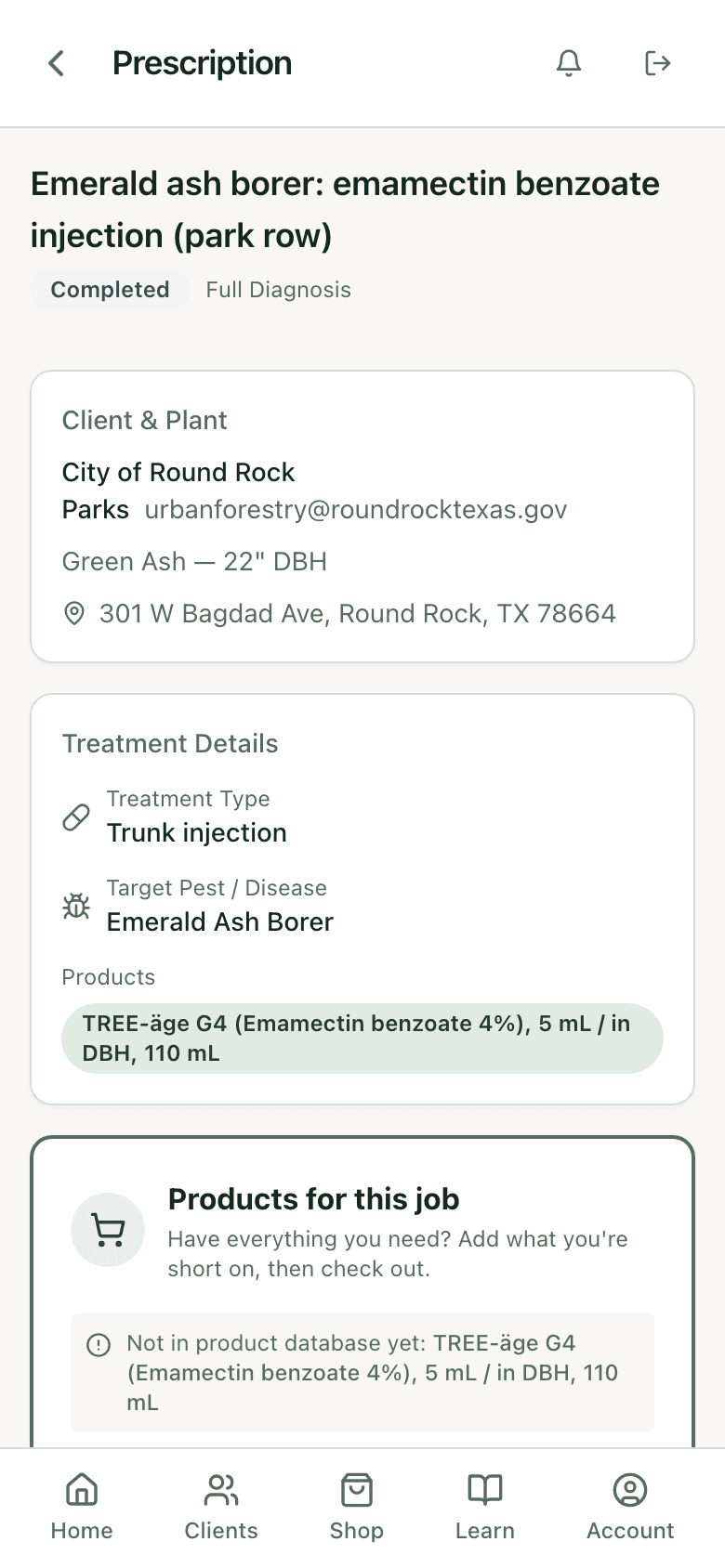
A field-service app knows the visit happened. It does not know that the visit put 110 mL of an emamectin product into a 22 inch ash, that the label interval is two years, that the client is due in fall 2028, or that the tech recorded a 3 mph wind. The spray log knows all of that, on paper, in the truck, until it does not.
The log and the schedule are separate systems
The date is in one place and the dose in another. Reconciling them is how a state inspection turns into a week.
Retreatment dates are calculated by hand
Two-year products, one-year products, and a fungicide that wants a spring and a fall. Somebody keeps a spreadsheet, and then somebody leaves.
The tree has no memory
A new tech at a property has no way to know what was done to that oak in 2024 unless the record is on the oak.
The record
Written when the treatment is marked complete.
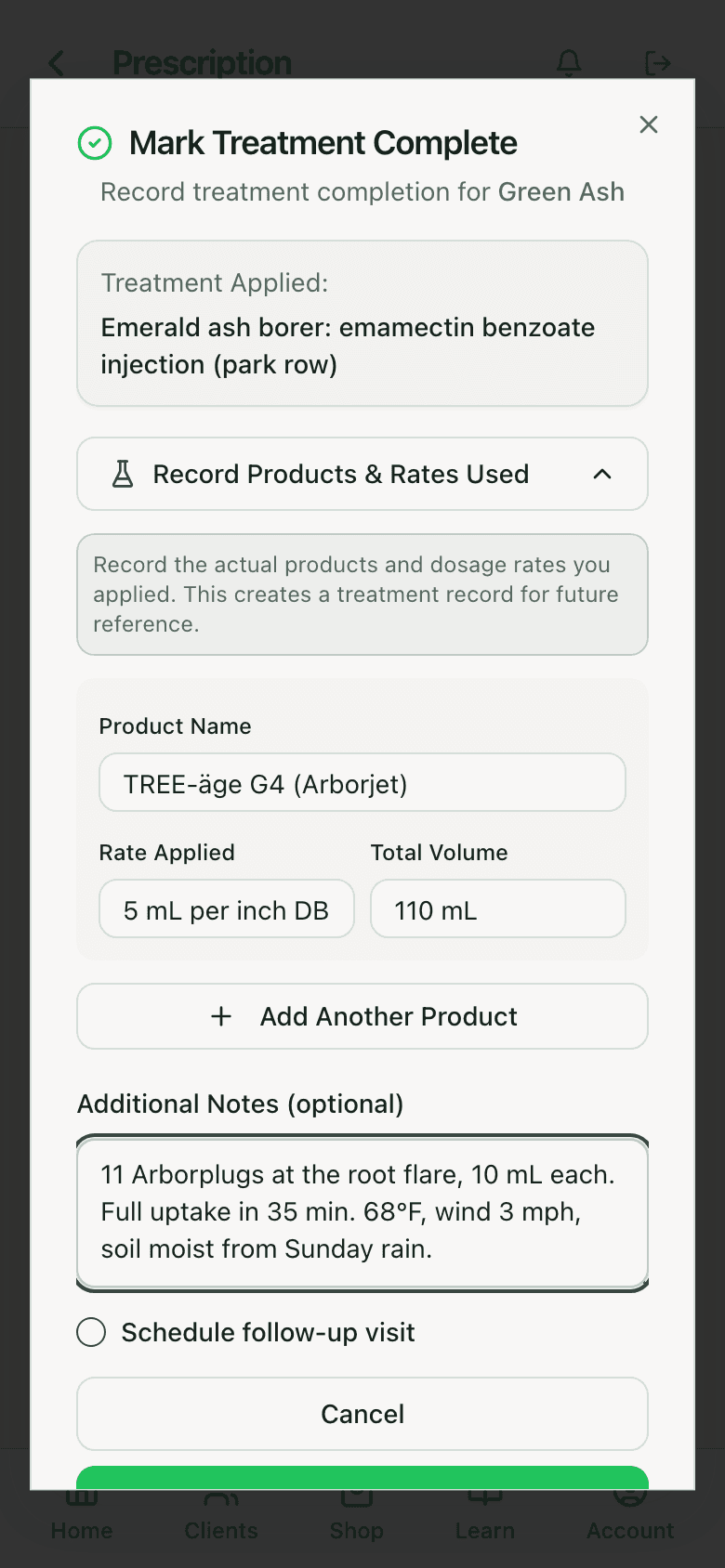
Mark Complete on an accepted prescription opens the application record: the product actually used, the rate applied, the total volume, and notes for conditions such as temperature, wind, soil moisture, port count, and uptake time. It saves against the tree, the client, the prescription, and the date. Planned dose and applied dose both stay, which is what the record is for.
On the tree
The tree carries its own history.
A treated tree shows a Treated badge on its record with the prescription, date, and cost listed under it. Open the tree next season and the last application, product, and rate are right there, along with the diagnosis it was based on. A new tech at the property reads it before touching anything.
How the diagnosis gets recorded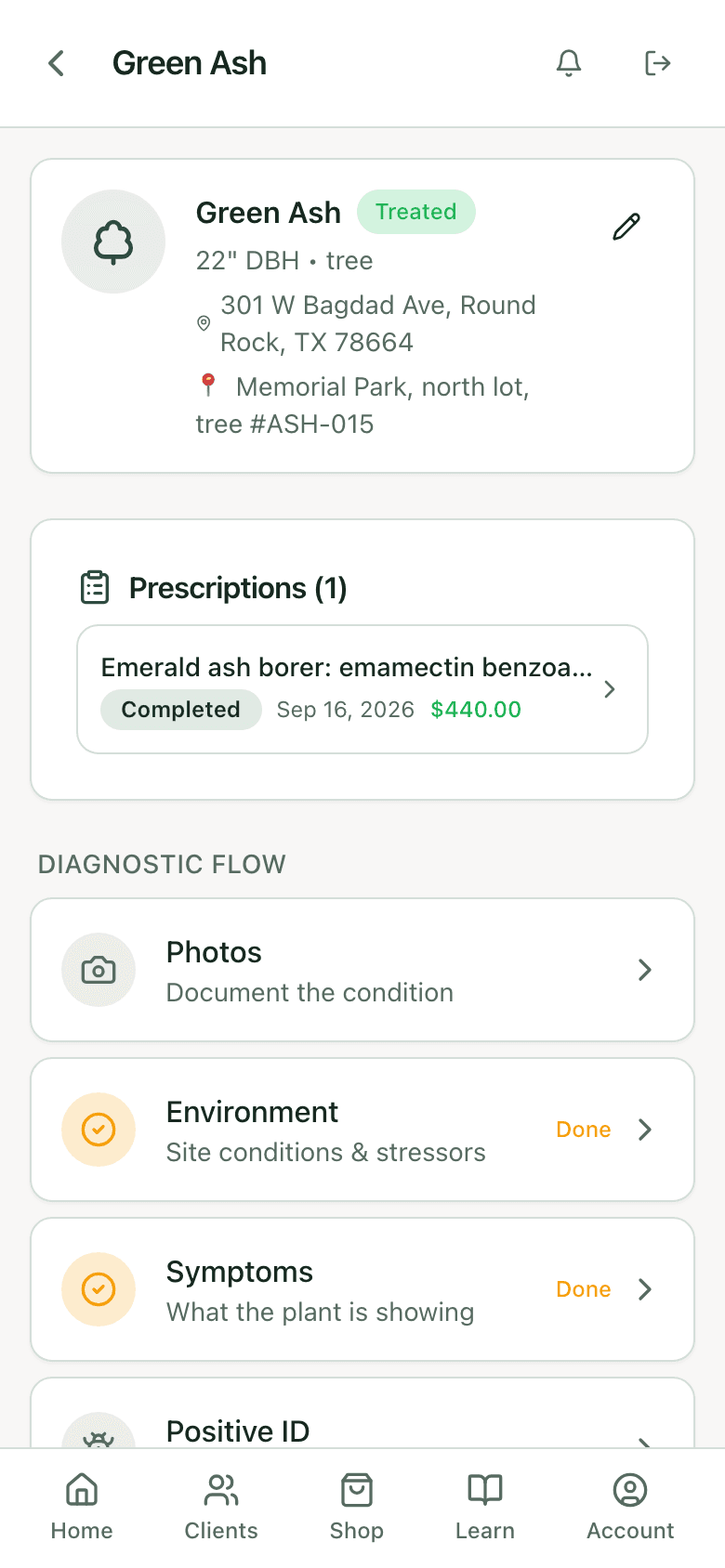
Calendar
Day, week, month, with the product on the event.
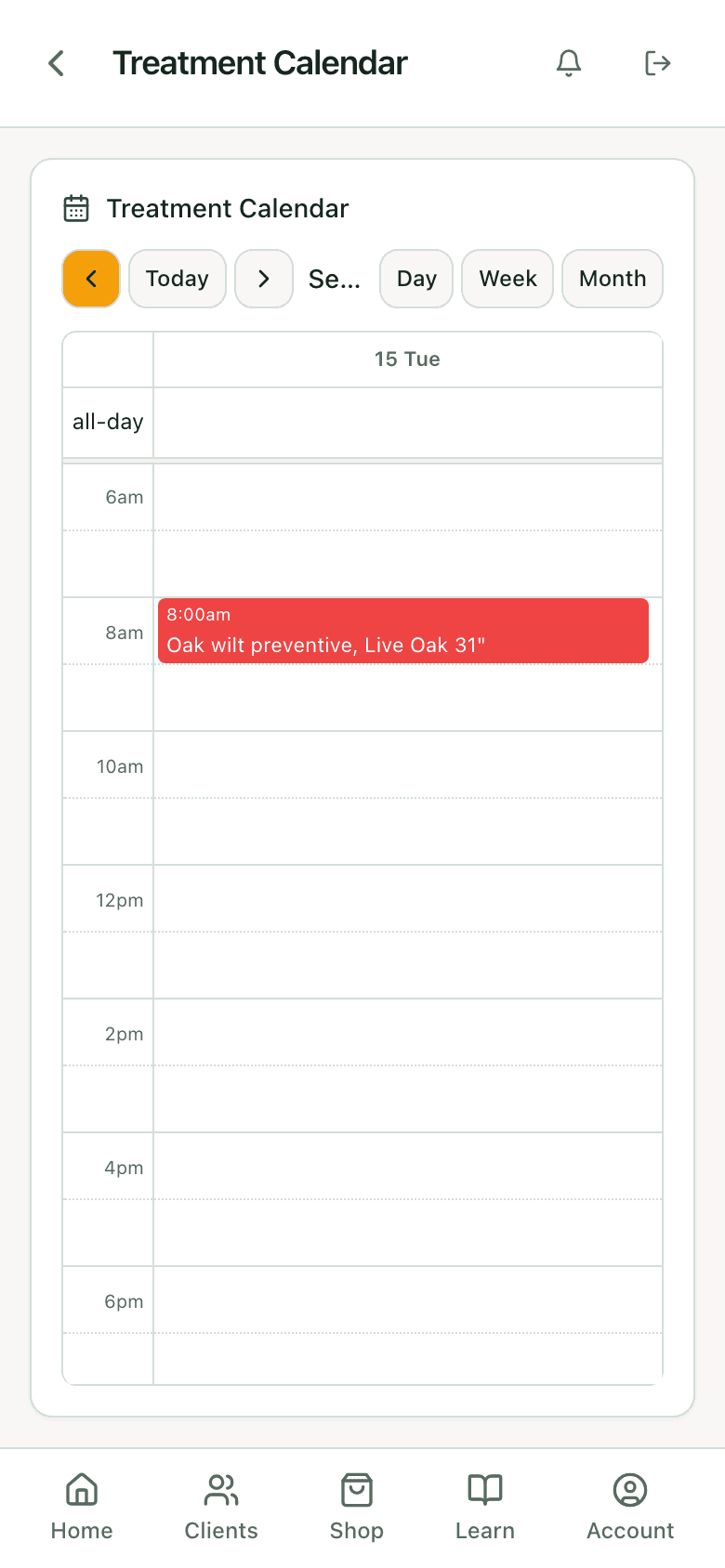
Accepted prescriptions with a date become events with the client, address, treatment type, and product line. Day view for the route, week for the crew, month for the season. Tap an event for the details and the link to the prescription. Events carry a status and completion notes, and on the Jobber integration they sync as visits.
- Assigned technician per event
- Working days, max jobs per day, and holidays from your work schedule
- Reschedule from the event and the prescription updates
Follow-ups
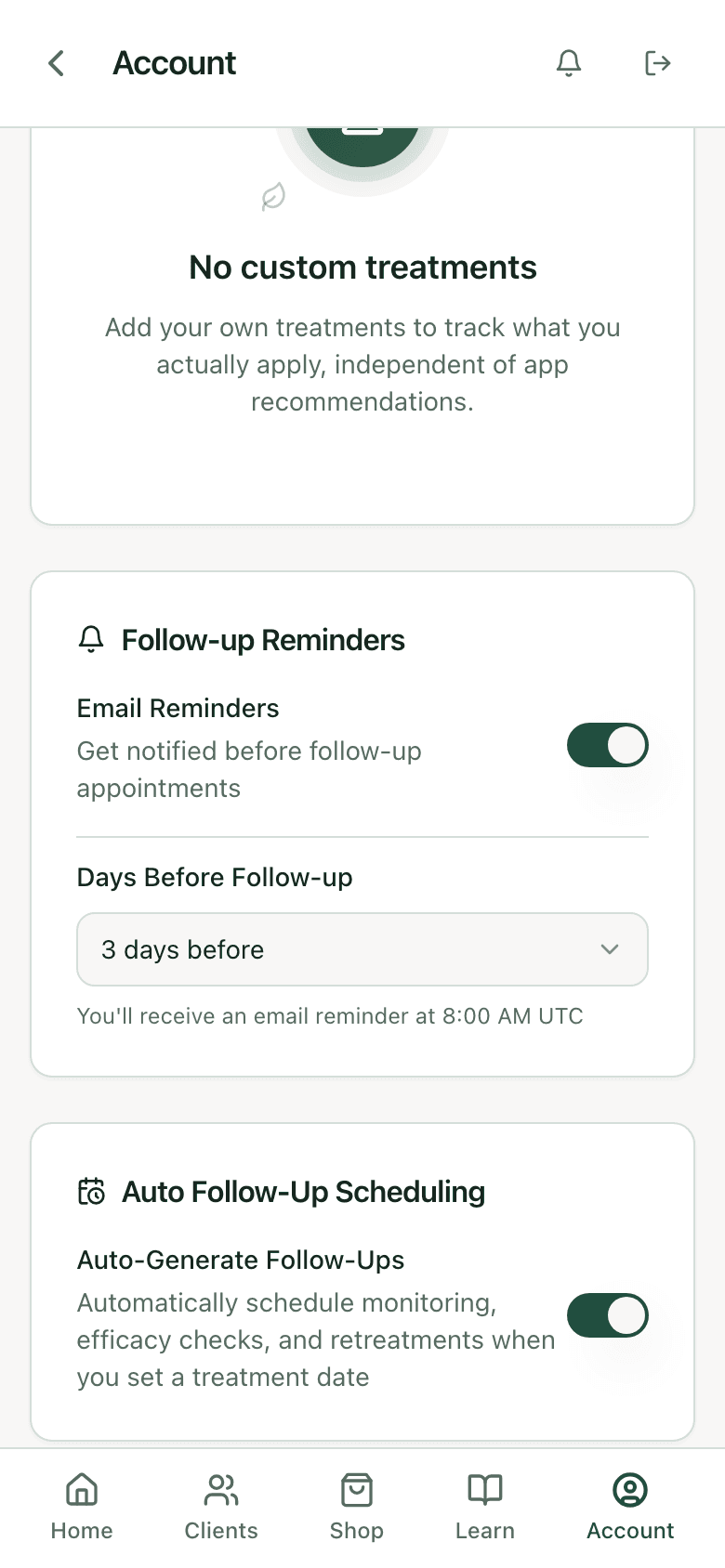
Monitoring, efficacy check, retreatment, generated from the treatment date.
Turn on auto follow-up scheduling and setting a treatment date creates the follow-up visits for that product: a monitoring visit, an efficacy check, and the retreatment at the label interval, 730 days for the two-year emamectin products, 365 for most annual systemics. Email reminders go out a set number of days before. The two-year tree is on the calendar for fall 2028 the day the injection is done.
Month view
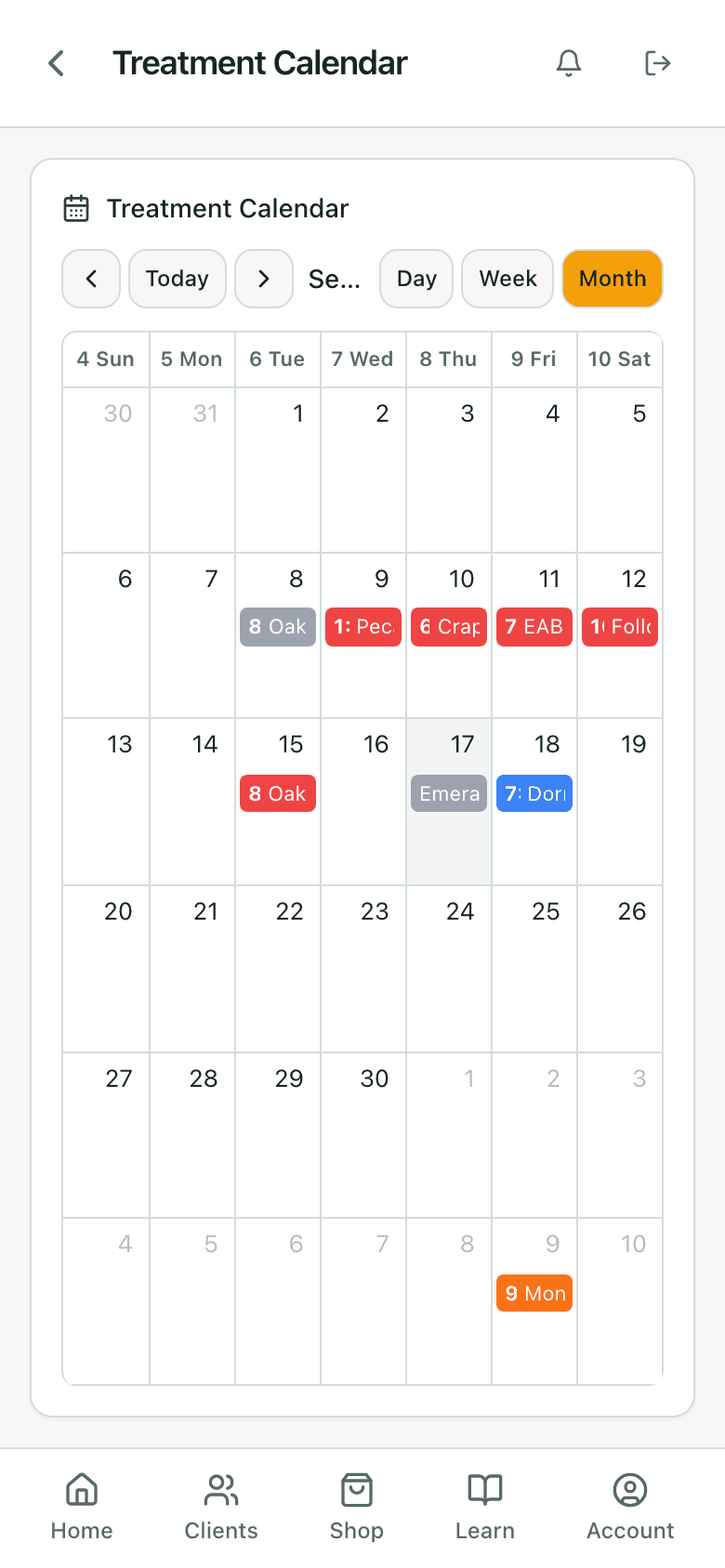
The season at a glance.
Month view shows every scheduled and completed event by day, color-coded, so the spring injection window and the fall soil window are visible as blocks of work rather than a list. Filter to a client or a technician when the question is who is where.
Timing
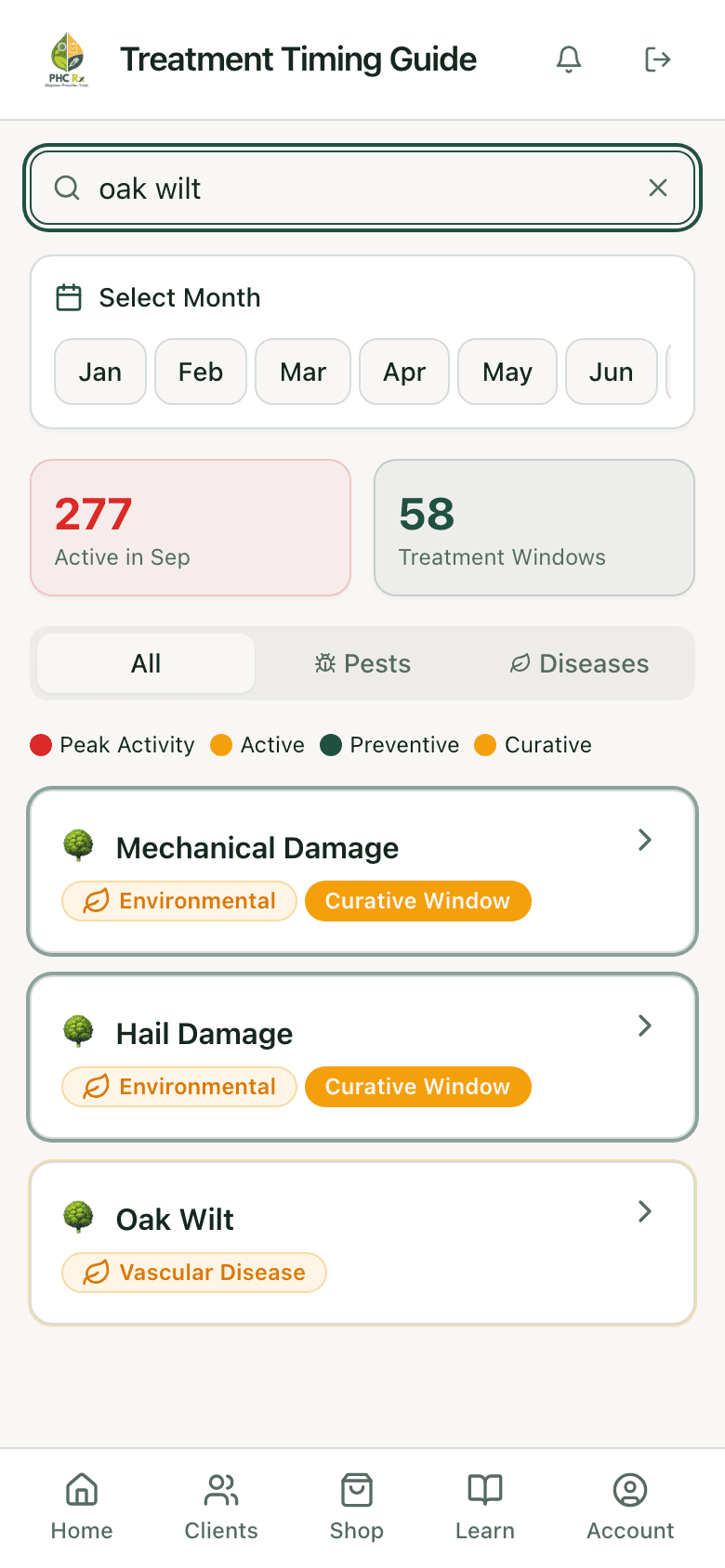
What is active this month, and what can be treated.
The timing guide lists every pest and disease in the library by activity and treatment window for the current month, with peak activity, preventive, and curative flags. Search a pest to see its window, or browse what is treatable now to fill a slow week. Scheduling a treatment outside its window is flagged by the label check.
Straight from the app
The record, the calendar, the label.
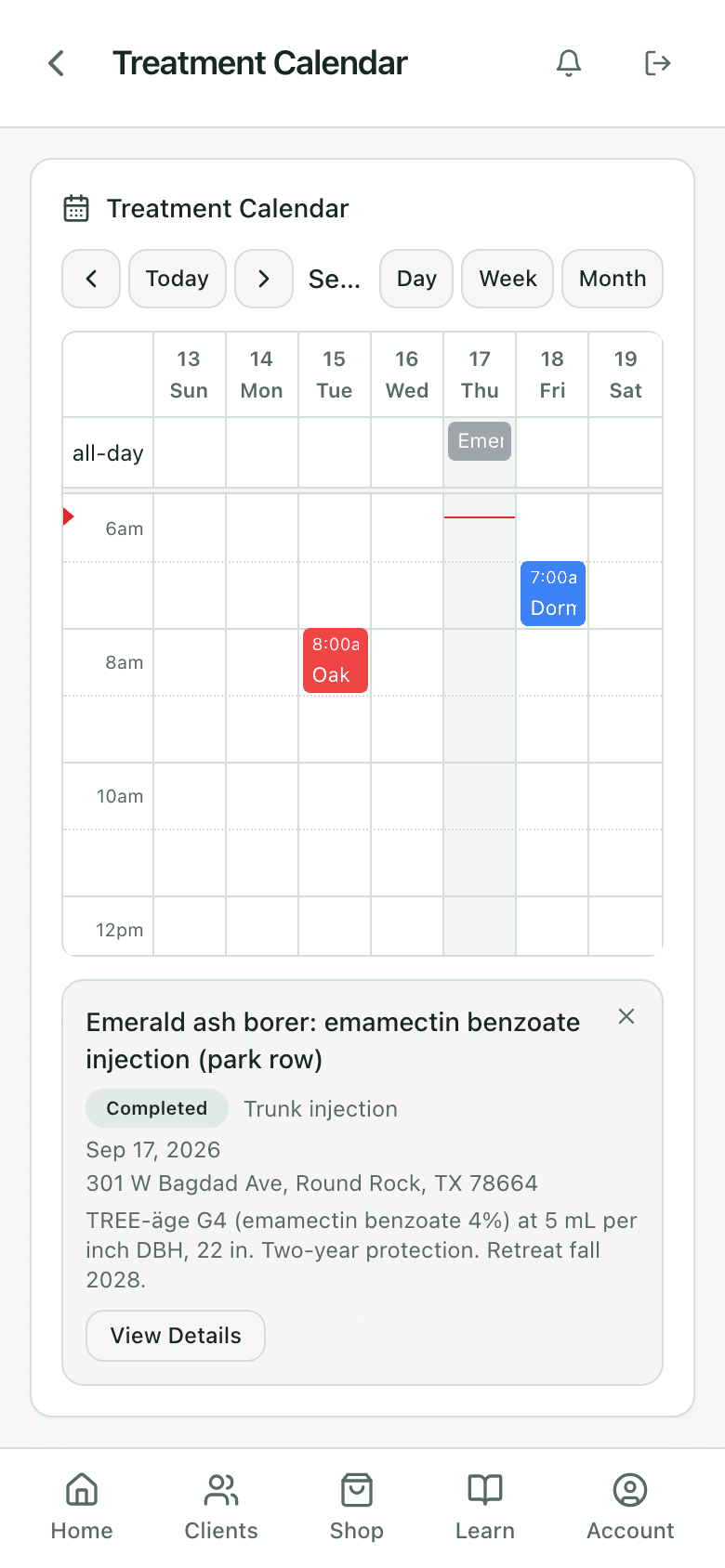
Event detail with the product on it
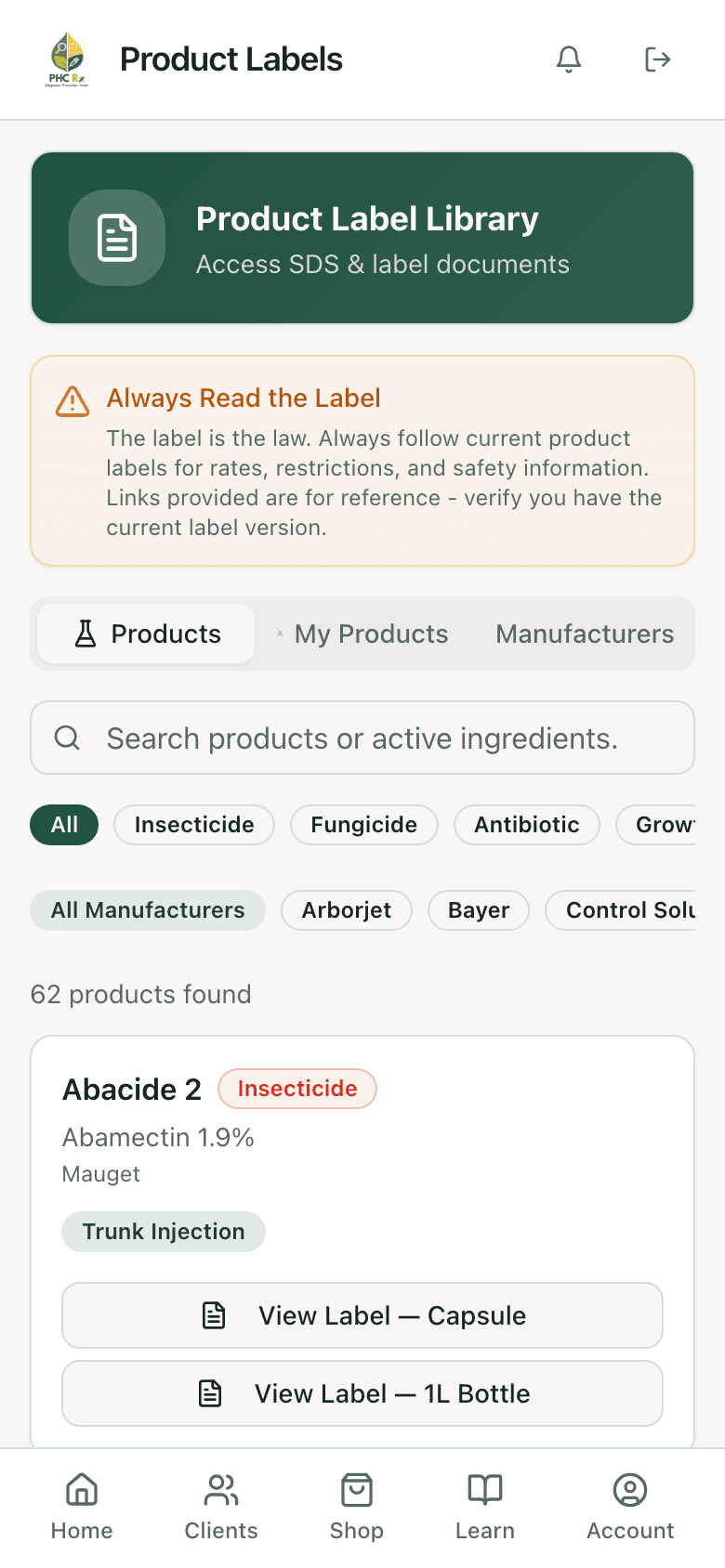
Every product's label, one tap away
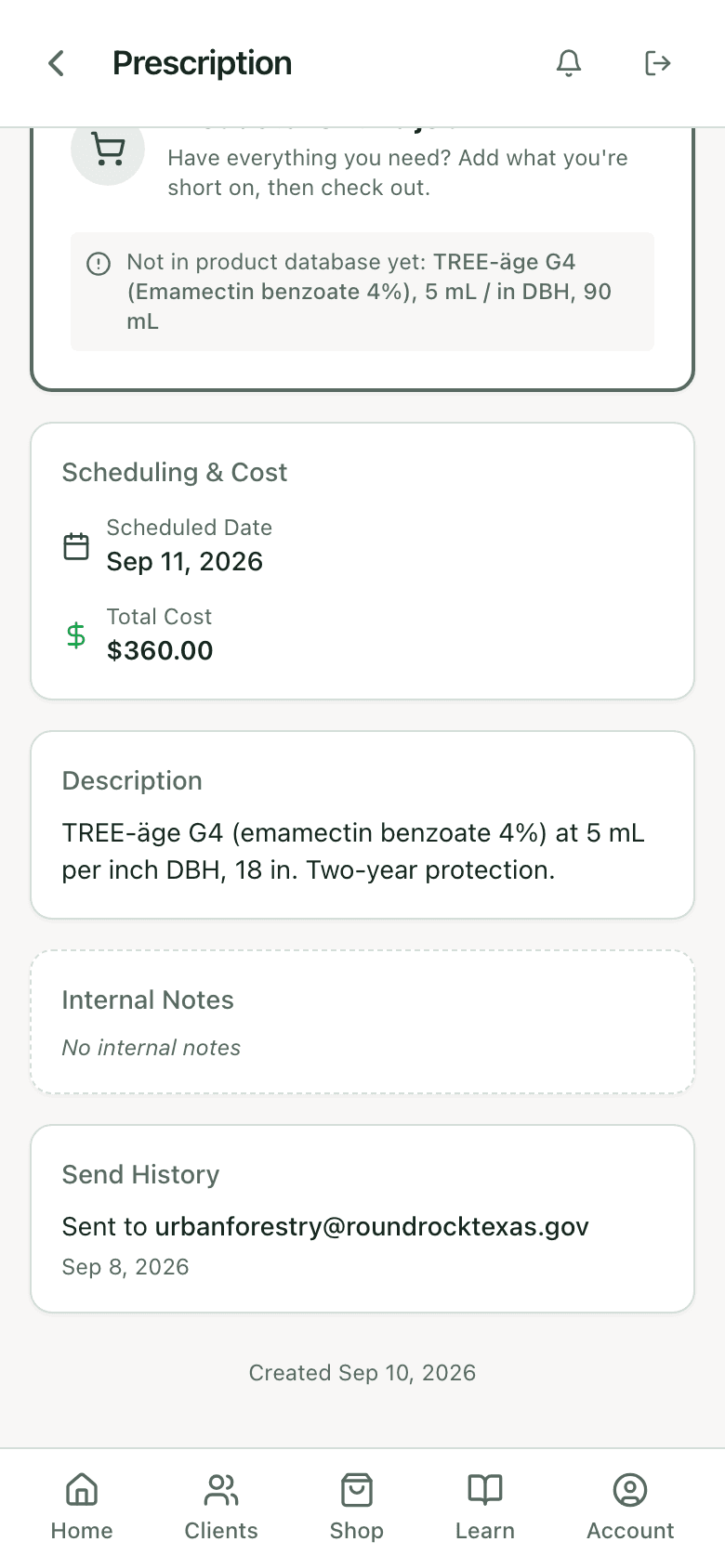
Who was told what, and when
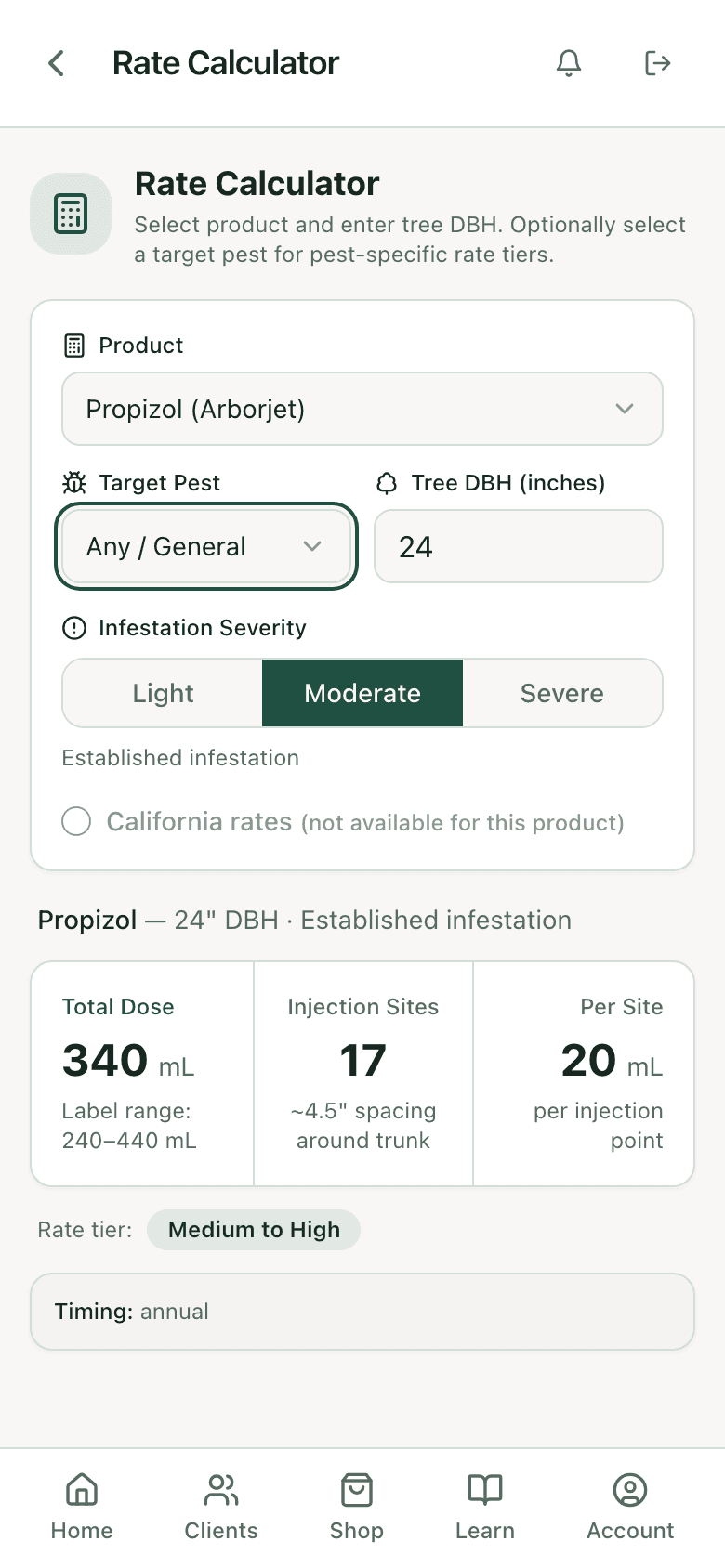
The interval comes from the label
What the record satisfies
Most state commercial applicator rules want, for each application: the date, the site and customer, the target pest, the product with its registration number, the rate and total amount, the method, and the applicator. Several add weather. The PHC Rx record holds the date, tree, client, address, target pest, product, rate, volume, method, applicator account, and free-text conditions, and the product's registration number comes from its library entry. The record is created within minutes of the work, on site, which is the part inspectors notice.
Retention periods run two to three years in most states. The record stays on the tree for as long as the tree is in your account, and exports as JSON or CSV from settings so a copy can live wherever your compliance file lives.
Common record-keeping fields and where PHC Rx keeps them
Date of application
- In PHC Rx
- Completion date on the application record
Customer and site
- In PHC Rx
- Client and property address on the prescription
Target pest
- In PHC Rx
- Target on the prescription
Product and EPA registration number
- In PHC Rx
- Product on the record; registration number on the library entry
Rate and total amount
- In PHC Rx
- Rate applied and total volume on the record
Application method
- In PHC Rx
- Treatment type on the prescription
Applicator
- In PHC Rx
- Account that completed it; license on the profile
Weather and conditions
- In PHC Rx
- Notes on the record
Tracking versus scheduling
Jobber, Arborgold, and SingleOps schedule the visit and bill for it. PHC Rx tracks the pesticide: the dose, the interval, the record. They are not the same job, and most PHC operations run one of each. The prescription in PHC Rx becomes the quote and job in Jobber; the visit in Jobber comes back as the event here; the application record stays here because that is where the label and the tree are. Arborgold compared covers where the line falls.
Who it is for
- PHC operations with more than one product interval to keep straight across more than one crew.
- Owners adding PHC to a pruning company who want the record right from the first application. How to start.
- Municipal and campus programs where the inspection is annual and the records have to be exportable.
FAQ
Questions arborists ask
Is this a spray log app?
It is the spray log and the schedule in one record. Every completed treatment writes the product, rate, volume, date, method, and conditions against the tree, and the retreatment date goes on the calendar.
Does it track re-entry intervals?
The re-entry and pre-harvest intervals for a product show in the rate calculator where the label carries them, so they are visible while the job is planned. The calculator.
Can it schedule retreatments automatically?
Yes. With auto follow-up scheduling on, setting a treatment date generates monitoring, efficacy check, and retreatment visits at the product's interval, with email reminders before each.
Can I export the records?
Yes. Plant and treatment data export as JSON or CSV from settings.
Does it work with Jobber?
Yes. Prescriptions create Jobber quotes and jobs, visits sync both directions, and the application record stays in PHC Rx. Jobber integration.
Does it work with no signal?
Records you have opened stay available, new records queue on the phone, and everything syncs when you are back in range. The mobile apps.
What does it cost?
It is part of every PHC Rx plan, from $99 a month, with the label check, calculator, prescriptions, and diagnosis. Plans and trial.
Related